
Give Everyone Their Own Share Link
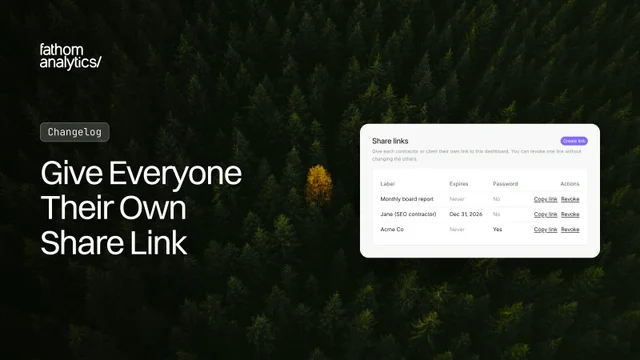
Until now, sharing a dashboard meant one URL and one password for everyone. When a contractor finished their work, the only way to cut them off was to change the password and send the new one to everyone else. Now you can give each person their own link.
Open your site’s settings and go to the new Sharing tab. Click Create link, give it a label (like the person’s name or company), and you’re done. Each link can have:
- An expiry date. The link stops working at the end of that day, in your site’s timezone. Handy for a contractor on a three-month project.
- A password. Type your own or click
Generatefor a strong one. You copy it once when you create the link, and we only keep a hashed version.
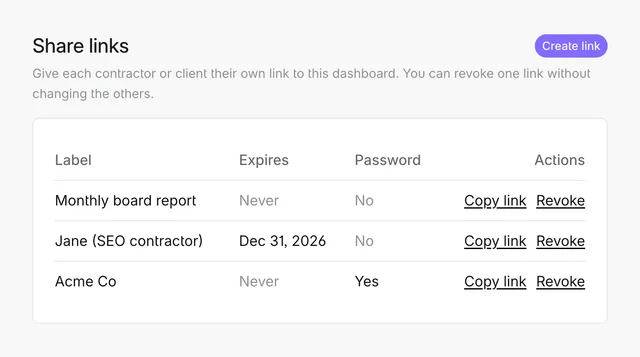
When someone no longer needs access, click Revoke next to their link. It stops working straight away (even if they have the dashboard open), and every other link keeps working.
A few things worth knowing:
- Viewers can’t change anything. People with a share link see your dashboard, pick dates, apply filters and download the dashboard as a ZIP. They can’t change settings or see your other sites.
- Up to 100 links per site. Expired links stay in the list until you revoke them, so you can see who used to have access.
- Search Console data shows on share links. If you’ve connected Google Search Console, people with a share link see its data, just like on a passworded dashboard. Public dashboards still don’t show it.
- Some site tabs moved under More. Milestones, Imports, Exports and Manage now sit under More in your site settings, to make room for the new Sharing tab. On a phone, every tab is still listed.
- Your current share URL still works. The site-wide setting (Private, Passworded or Public) has moved to the bottom of the Sharing tab, under Legacy sharing. Our WordPress plugin still uses it. Share links don’t work inside WordPress.
There’s nothing to set up, and your existing share URLs keep working. Our shared dashboards documentation has the details. As always, we’d love to hear what you think.
Oct 3, 2026