
Remove Unwanted Visits
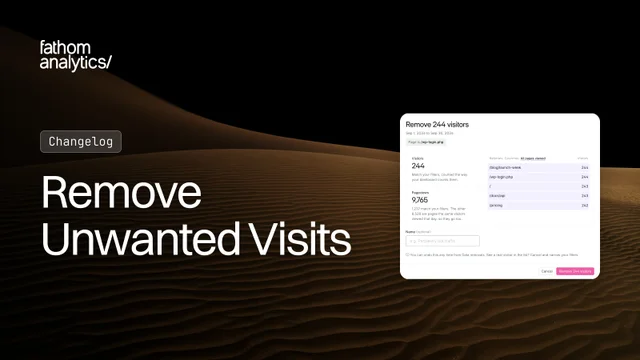
Your dashboard should show real visitors. But other visits get in: your own test runs before a launch, a staging site that shared your live tracking code, or a bot that slipped past our bot detection. Until now, they stayed in your reports for good. Now you can remove them from your past data yourself, and undo it if you change your mind.
Open your site’s settings, go to More > Manage and click Data removals, then Create data removal. Your dashboard opens in removal mode. Filter it down to the visits you want gone, click Next, and you’ll see exactly what’s about to go before anything is removed.
Use it for things like:
- “Our staging site was tracking into our live site.” Filter by Domain is staging.example.com, and those visits leave every report.
- “We tagged our test runs with utm_source=test.” Filter by that UTM source, and the test visits go, along with the events they triggered.
- “A bot keeps hitting /pricing from one country.” Combine a Page filter with a Country filter, so real visitors to /pricing stay.
- “A junk referrer flooded my Referrers box last month.” Pick Last Month, filter by its referrer hostname, and remove it.
- “Oops, that was a real customer.” Click
Undoon Data removals and every one of those visits comes back.
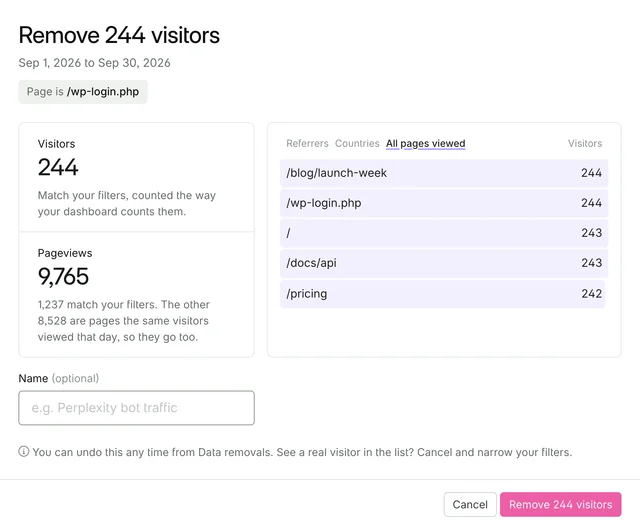
The review shows how many visitors and pageviews match, plus their top referrers, countries and pages. If a real visitor shows up there, cancel and add another filter. Give the removal a name if you like, click Remove, and follow its progress on Data removals. Your reports update newest day first, and we’ll email you when it’s done.
A few things worth knowing:
- Whole visits go. We remove each matching visitor’s whole day in your date range, including the other pages they viewed and the events they triggered, so you’re not left with half-visits. That’s why the review can show more pageviews than your dashboard does for the same filters.
- It’s gone everywhere. Removed visits disappear from your dashboard, exports, email reports and the API, and their pageviews stop counting towards your usage.
- Today counts too. A removal covers visits up to the moment you open the review. Visits that arrive after that stay in your reports.
- Some data stays. Imported Google Analytics and Gauges data can’t be removed, and the Referrer Source and AI Source filters can’t be used.
- One at a time. Each site runs one removal at a time, and each account can start up to 30 removals or undos a day.
Removing visits cleans up the past. To stop the same traffic being counted again, block it in your firewall settings. Our data removals documentation has the full details. As always, we’d love to hear what you think.
Oct 7, 2026