
See Which AI Tools Send You Visitors
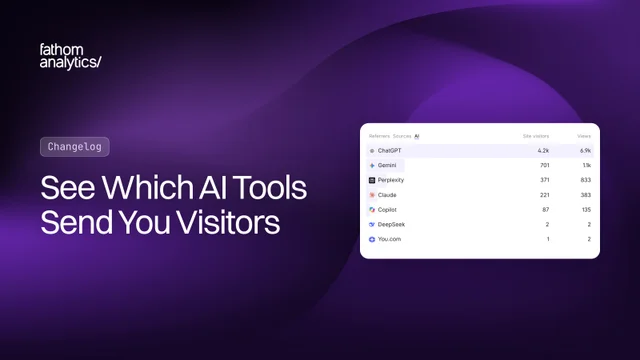
Ever wondered how many of your visitors come from ChatGPT? Until now, you’d have had to piece it together from your Referrers and UTM reports, because those visits were mixed in with your Organic and Paid/Campaign traffic. Now they have their own tab.
Open the Referrers box on your dashboard and you’ll find AI next to Sources. It lists your visitors by AI tool, with site visitors and views for each one.
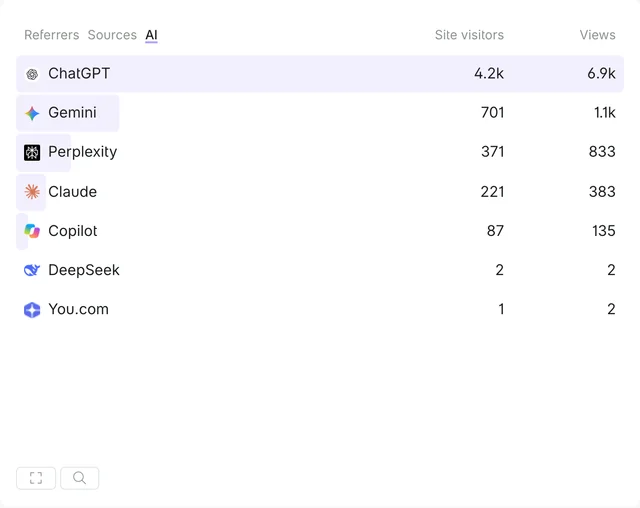
Each tool combines every way it sends people to you. ChatGPT, for example, includes visits referred by chatgpt.com and chat.openai.com, plus links tagged utm_source=chatgpt.com. That last one matters: ChatGPT’s apps often don’t send a referrer, so the tag is how most ChatGPT visits arrive. We currently recognise ChatGPT, Perplexity, Claude, Gemini, Microsoft Copilot, DeepSeek, Grok, Meta AI, You.com and Poe.
A few things worth knowing:
- It works on your history. This isn’t only for new visits. Everything you’ve already collected is included, so switch to Last 365 Days or All Time to see how your AI traffic has changed.
- AI is now a source. The Sources tab has an AI bucket alongside Direct, Organic, Social and Paid/Campaign. Those visits used to count as Organic or Paid/Campaign, so you’ll see those two get a little smaller. Your total visitors stay the same.
- Ads stay as ads. If you run ads on an AI tool, those visits stay in Paid/Campaign as long as your links include a
utm_mediumorutm_campaign. - Filter by any tool. Click a tool to filter your whole dashboard and see which pages those visitors view and which events they complete. In Advanced Filters, you can choose AI as the Referrer Source, or pick a specific tool as the AI Source.
- It’s in your exports. Dashboard downloads now include an AI.csv file, and you can add AI Source as a dimension in data exports.
- It’s in the API. Use
ai_sourcein aggregations to group or filter by AI tool, for pageviews and events.referrer_sourcealready returnsAIfor these visits.
One honest caveat: this measures visits from AI tools, not how often an AI mentions you. If a tool sends neither a referrer nor a utm_source, we can’t tell the visit came from AI, so it shows as Direct. Our traffic sources documentation has the full details.
There’s nothing to set up. The AI tab is already on your dashboard (and on our live demo if you’d like a look first). As always, we’d love to hear what you think.
Oct 2, 2026