
Firewall Allow & Block Lists
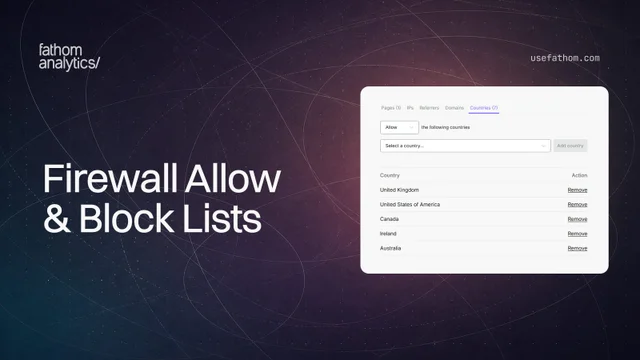
Blocking a few unwanted visits has always been straightforward: add the relevant country, IP or page to a block list and you’re done. But if you want to collect analytics from only one country, or a small set of domains, blocking everything else means maintaining a very long list.
You can now switch every Firewall list between Block and Allow. Block lists exclude the things you add, while allow lists collect data only from the things you add and ignore everything else.
This works across all six Firewall lists:
- Pages: collect analytics from only the pages you choose, or block specific pages.
- IPs: allow a small set of IPs, or keep unwanted IPs out of your data.
- Referrers: collect visits from selected referrers, or block known sources.
- Domains: limit collection to your own domains, or block specific domains.
- Countries: collect analytics from a handful of countries without adding every other country to a block list.
- Events: count only the events you care about, or block the ones cluttering your dashboard. Visitors can still fire a blocked event, we just won’t count it. Wildcards (*) help with dynamic names, so
Product *matches every event starting with “Product”.
We’ve also organised the Firewall into tabs, with a count showing how many items are in each list. Open Settings, choose your site, then select Firewall to configure them.
An empty list does not filter anything. Your existing settings will also keep their current behaviour, so you only need to make a change if an allow list suits your setup better.
Aug 19, 2026