Google Search Console Integration
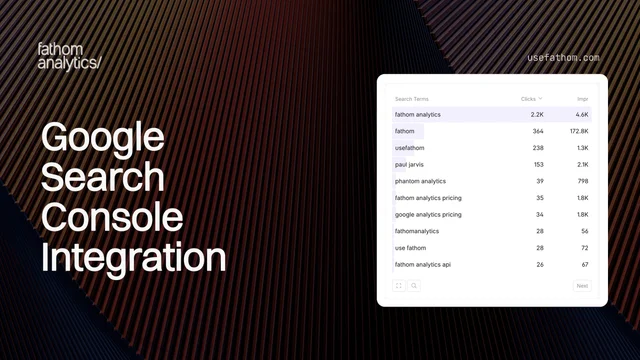
One of the most common questions website owners have is “what are people searching for to find my site?” Until now, answering that meant leaving Fathom and digging through Search Console separately. Not anymore.
Our new Search Console integration brings your search performance data directly into your Fathom dashboard, so you can see exactly which search terms are driving traffic to your site, alongside the rest of your analytics.
Once connected, click the cog icon next to “Google” in your Referrers box to switch between your regular Fathom analytics and Search Console data. In Search Console mode, you’ll get a new Search Terms data box (replacing Referrers) on your dashboard showing every query people use to find you.
When you switch to Search Console mode, your entire dashboard adapts:
- Totals bar shows Clicks, Impressions, Avg CTR, and Avg Position instead of the usual Visitors, Views, Avg Time on Site, and Bounce Rate
- The chart displays search metrics over time, with toggleable metrics just like your regular analytics
- Data boxes (Countries, Device Types, Pages) show search breakdowns with clicks and impressions
- Search Terms box shows the queries driving traffic, with the ability to click any term to filter your dashboard by it
Need more detail? Expand any data box to see additional columns for CTR and average ranking position. Date comparisons work too — compare this month to last month and see exactly how your clicks, impressions, CTR, and position have changed.
Connecting is straightforward: head to Settings, click your site, go to Integrations, and click Connect in the Search Console section. You’ll authorise with your Google account (we only request read-only access), pick your property, and you’re done.
For a full guide on using the integration, check out our Search Console documentation.
Feb 17, 2026